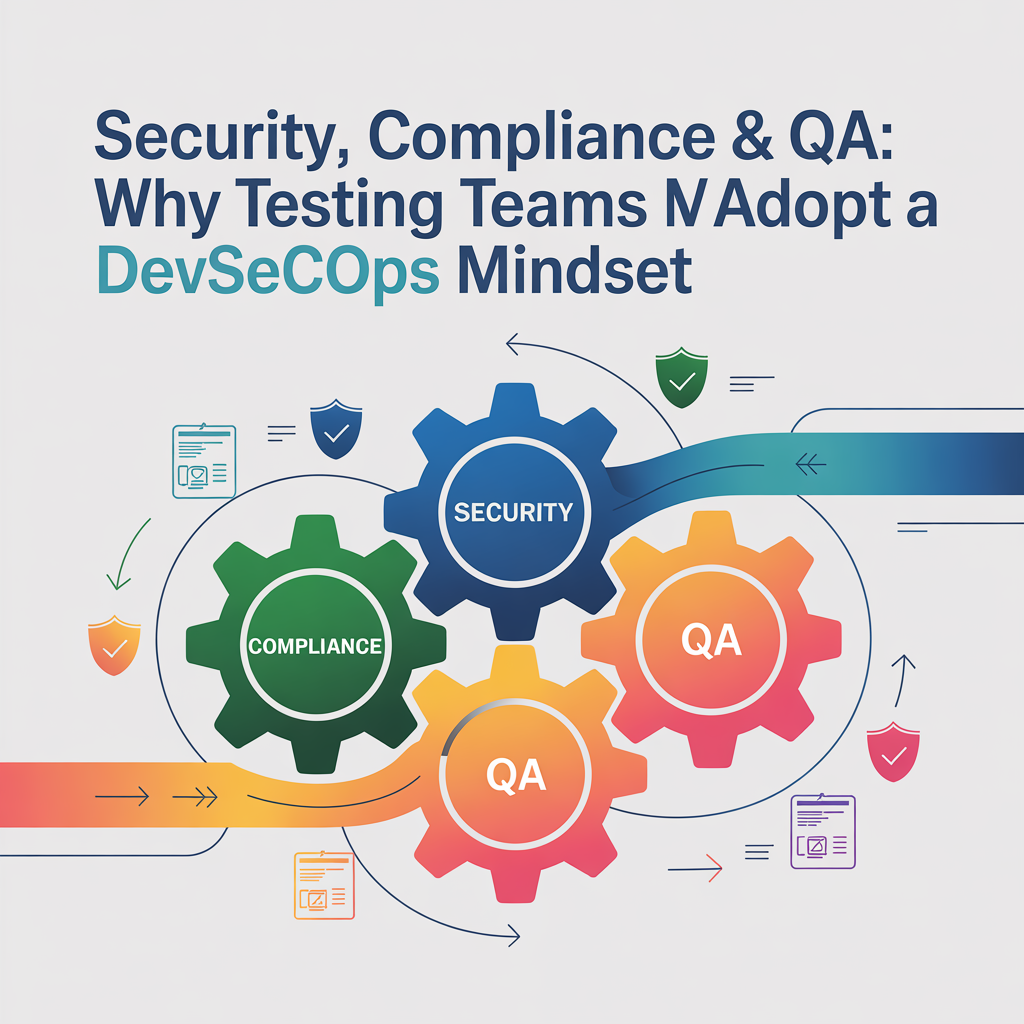
Security, Compliance & QA: Why Testing Teams Must Adopt a DevSecOps Mindset
Watched a QA team almost sink their company last year. Not because they missed bugs. Because they missed a security vulnerability that exposed 50,000 customer records.
The team was testing a new feature perfectly. Functionality worked. UI looked good. Performance acceptable. Shipped to production.
A week later, a security researcher found a SQL injection vulnerability in the search function. Same search function QA tested thoroughly. They verified it returned correct results. Never thought of checking if it was secure.
The company got hit with GDPR fines, customer lawsuits, and reputation damage. Cost them ₹2 crores and a year recovering trust.
QA lead told me: “We thought security was someone else’s job. We were just testers.”
That mindset’s dangerous. In 2025, QA can’t just test if things work. Gotta test if they’re secure. If they’re compliant. If they protect user data.
That’s the DevSecOps mindset, security is everyone’s responsibility, especially testing teams who are last line of defense before production.
Why Traditional QA Fails at Security
Traditional QA focuses on functional requirements. Does feature work as designed? Are business requirements met? Is user experience good?
Security gets treated as separate concern. Different team, different tools, different phase.
Problem with that approach:
Security testing happens too late. Waiting til end of development cycle finding security issues? Expensive fixing. Sometimes features get shipped insecure because “we’ll fix it later” and later never comes.
Security expertise siloed. Only security team understands vulnerabilities. QA doesn’t know what to look for. Developers don’t get security feedback during development.
Compliance is treated as a checkbox. “Did we pass the security audit?” becomes goal instead of actually building secure, compliant systems.
Test environments less secure. Production has firewalls, monitoring, security controls. Test environments? Often wide open. QA teams needing easy access, so security gets disabled “temporarily.”
Test data exposes real information. Using production data in testing? Massive security risk. Even anonymized data can leak sensitive information.
Credentials shared carelessly. Test accounts, API keys, and database passwords, shared via Slack, email, and written on whiteboards. Security nightmare.
What DevSecOps Actually Means
DevSecOps isn’t just adding “Sec” to DevOps. It’s a fundamental shift in how security gets integrated into the development lifecycle.
Key principles:
Security from the start. Security requirements are defined alongside functional requirements. Security testing happens continuously, not just at the end.
Shared responsibility. Everyone, developers, QA, operations, is responsible for security. Not just security team’s job.
Automated security checks. Security testing integrated into CI/CD pipelines. Automated scans, vulnerability checks, compliance validation running automatically.
Fast feedback loops. Security issues caught and fixed immediately, not weeks later after penetration testing.
Continuous monitoring. Security doesn’t end at deployment. Ongoing monitoring in production catching issues early.
For testing teams specifically, means expanding scope beyond “does it work?” to “is it secure, compliant, and safe?”
Security Testing Basics Every QA Should Know
You don’t need to become a security expert. But need to understand common vulnerabilities and how to test for them.
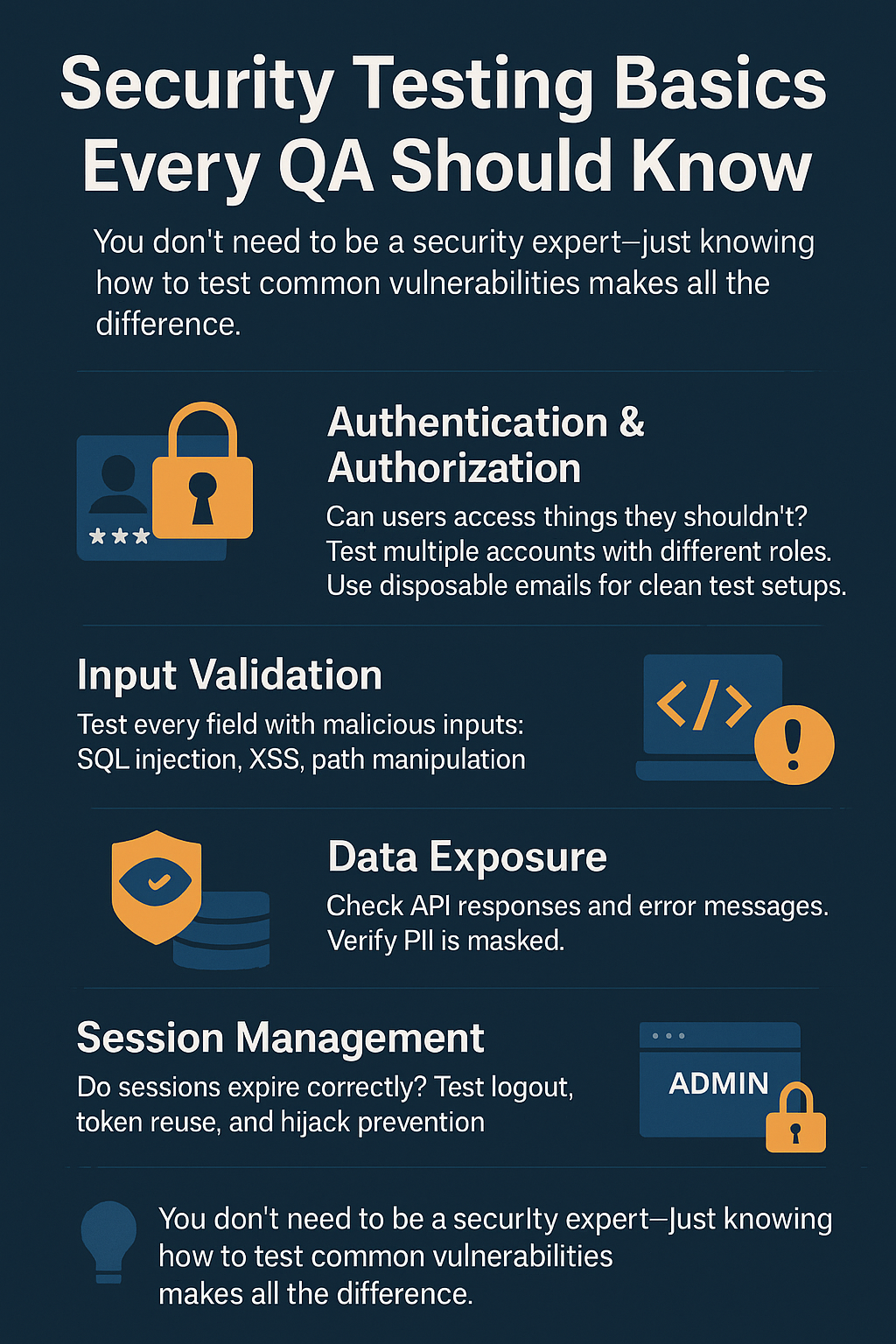
Authentication and authorization:
Can users access things they shouldn’t? Can unauthenticated users access protected resources? Can user A see user B’s data?
Testing this requires creating multiple test accounts with different permission levels. When testing authentication flows, registration, login, password reset, session management, teams often need numerous accounts with varying states. Using temporary email services for generating disposable test accounts keeps test environments clean while allowing thorough authentication testing without maintaining permanent test user databases.
Input validation:
Does application properly validate user input? Can you inject SQL? Can you execute scripts (XSS)? Can you manipulate file paths?
Every input field, API parameter, URL parameter needs testing with malicious inputs.
Data exposure:
Is sensitive data properly protected? Are API responses leaking information they shouldn’t? Are error messages revealing too much?
Check network traffic. Look at API responses. Verify PII gets masked appropriately.
Session management:
Do sessions expire properly? Can sessions be hijacked? Are tokens secure?
Test logout functionality. Verify tokens can’t be reused. Check session timeout behavior.
Access control:
Are file uploads restricted properly? Can users access direct object references they shouldn’t? Are admin functions protected?
Try accessing resources directly via URL. Manipulate IDs. Test privilege escalation.
Compliance Requirements QA Must Understand
Different industries, different regions, different compliance requirements. But some basics apply everywhere.
GDPR (Europe):
- Right to access data
- Right to deletion
- Right to data portability
- Consent management
- Data breach notification
QA needs to test whether these flows work. Can users download their data? Does delete actually delete? Is consent properly captured?
CCPA (California):
- Similar to GDPR with California-specific requirements
- Do Not Sell My Personal Information option
- Disclosure requirements
HIPAA (Healthcare US):
- PHI protection requirements
- Access controls
- Audit trails
- Encryption requirements
PCI DSS (Payment processing):
- Credit card data protection
- Secure transmission
- Access controls
- Regular testing requirements
As testing teams handle more sensitive data and need demonstrating compliance, having clear compliance and policy frameworks that document how data gets collected, processed, stored, and protected becomes critical. Testing teams need understanding what compliance means for their specific context and verifying systems meet those requirements.
SOC 2 (SaaS companies):
- Security controls
- Availability guarantees
- Processing integrity
- Confidentiality
- Privacy
QA role? Verify controls actually work. Test access restrictions. Validate encryption. Ensure audit logs capture required information.
Shifting Security Left in Testing
“Shift left” means moving activities earlier in development cycle. For security, means testing security throughout development, not just at end.
Security requirements in test planning:
When planning testing for new feature, include security requirements:
- What data does this feature access?
- What are authentication requirements?
- What are authorization rules?
- What inputs need validation?
- What compliance requirements apply?
Security test cases written alongside functional test cases.
Security testing in automation:
Don’t just automate functional tests. Automate security checks:
- Authentication tests verifying proper access control
- Input validation tests with malicious inputs
- API security tests checking for information disclosure
- Session management tests
- HTTPS enforcement checks
These run every build, not just before release.
Security code review:
QA doesn’t usually review code, but should understand enough to spot obvious security issues in pull requests:
- Hardcoded credentials
- SQL queries built with string concatenation
- Unvalidated user input is used directly
- Sensitive data logged
Secure Test Environments
Test environments need to be secure too. Not just a production concern.
Common test environment security issues:
Weak access controls. Everyone has admin access because “it’s just test environment.” Problem is test environments often contain real customer data.
Exposed services. Test databases, APIs, admin panels accessible from internet without authentication. Attackers scan for these constantly.
Outdated dependencies. Production keeps dependencies updated, test environments lag behind with vulnerable versions.
Shared credentials. Everyone using same admin account. When something goes wrong, no audit trail showing who did what.
Insecure communication. Credentials, API keys, test results shared via unencrypted channels, email, Slack, shared documents.
When QA teams need sharing sensitive test results, vulnerability findings, or security-related information across distributed teams, using secure communication channels ensures sensitive data doesn’t leak through insecure email or messaging platforms. Especially critical when coordinating security testing across different teams or with external security consultants.
Poor secret management. API keys, database passwords stored in code repositories, config files, or worse, written on sticky notes.
Managing credentials properly means never using simple, guessable passwords even in test environments. Every test account, service account, and admin access needs strong, unique passwords. Using secure password generation for all test accounts and service credentials prevents test environment breaches that could expose security vulnerabilities or provide attackers entry points into wider systems.
Security in CI/CD Pipelines
Automated pipelines need security checks built in.
SAST (Static Application Security Testing):
Scans code for security vulnerabilities without executing it. Finds issues like:
- SQL injection vulnerabilities
- XSS vulnerabilities
- Hardcoded secrets
- Insecure cryptographic functions
Runs automatically on every commit or pull request.
DAST (Dynamic Application Security Testing):
Tests running application for vulnerabilities. Simulates attacks against running system.
Integrated into automated testing suite, running against test environments.
Dependency scanning:
Checks for known vulnerabilities in third-party libraries and dependencies.
Fails builds if critical vulnerabilities found.
Secret scanning:
Scans code and configuration for accidentally committed secrets, API keys, passwords, tokens.
Prevents credentials from reaching version control.
Container scanning:
If using containers, scans images for vulnerabilities before deployment.
Compliance checks:
Automated validation that code meets compliance requirements, proper logging, encryption, and access controls.
Building Security Test Cases
Security test cases are different from functional test cases. Thinking like an attacker instead of a user.
Example: Login feature
Functional tests:
- Valid credentials log in successfully
- Invalid password shows an error
- Forgot password flow works
Security tests:
- Brute force attempts get rate-limited
- SQL injection in username/password doesn’t work
- Session created securely with proper flags
- Failed attempts logged for security monitoring
- Account lockout triggers after X failed attempts
- Password reset tokens expire appropriately
- Password reset tokens can’t be reused
- Sessions invalidate after logout
- Old sessions don’t remain valid
- HTTPS enforced, no fallback to HTTP
See the difference? Security testing verifies system behaves securely even under attack.
Handling Sensitive Test Data
Using production data in testing? Common but dangerous.
Risks:
Data exposure. Test environments usually less secure. Sensitive data in test environment can leak.
Compliance violations. GDPR, HIPAA, other regulations restrict using production data for testing.
Data corruption. Testing in production-like environment with real data risks corrupting actual data.
Better approaches:
Synthetic data. Generate fake but realistic data. Maintains referential integrity and business logic without using real customer information.
Data masking. Transform production data making it non-sensitive. Email becomes xxx@xxx.com. Names get randomized. Credit cards get tokenized.
Subset production data with anonymization. Take small subset, properly anonymize, use for testing.
Production-like test data generation. Tools generating realistic test data matching production patterns without containing actual sensitive information.
Security Monitoring and Incident Response
Security doesn’t stop after testing. Need monitoring in production and knowing how to respond when issues found.
Security monitoring:
Application security monitoring. Watching for attack patterns, SQL injection attempts, XSS attempts, brute force attacks.
Anomaly detection. ML-based systems detecting unusual patterns that might indicate security breach.
Vulnerability scanning. Continuous scanning of running systems for new vulnerabilities.
Incident response:
When security issue discovered in production, QA team plays role:
Reproduction. Can you reproduce issue in test environment? Understanding how vulnerability works crucial for fixing it.
Regression testing. After fix deployed, verify issue actually fixed and didn’t introduce new problems.
Expanding test coverage. Add tests preventing similar issues in future.
Root cause analysis. Why didn’t testing catch this? What needs changing in testing approach?
Cultural Shift Required
DevSecOps isn’t just tools and processes. It’s culture change.
From “security team’s problem” to “everyone’s responsibility.”
QA teams taking ownership of security testing, not deferring to security team.
From “test after development” to “test during development.”
Security tests running continuously, providing feedback immediately.
From “pass audit” to “build secure.”
Goal isn’t passing security audit, it’s building genuinely secure, compliant systems.
From “blame” to “learn.”
When security issues found, focus on learning and improving, not blaming individuals.
Practical Steps for QA Teams
Want adopting DevSecOps mindset? Here’s where to start:
Educate yourself and team.
Everyone should understand:
- OWASP Top 10 vulnerabilities
- Common attack patterns
- Basic security testing techniques
- Relevant compliance requirements
Free resources available. Invest few hours weekly learning.
Add security to definition of done.
Feature isn’t complete until:
- Security test cases written and passing
- No critical security vulnerabilities found
- Compliance requirements verified
Automate security checks.
Start with easy wins:
- Add SAST scanning to CI pipeline
- Implement dependency scanning
- Automate basic security smoke tests
Create security test cases library.
Build reusable security test cases for common scenarios:
- Authentication testing
- Authorization testing
- Input validation
- Session management
Participate in threat modeling.
Join security discussions during the design phase. QA perspective is valuable for identifying potential security issues early.
Run security testing sprints.
Dedicate time specifically to security testing. Penetration testing your own applications. Try breaking things.
Collaborate with the security team.
Don’t work in silos. Regular meetings with the security team. Learn from their expertise. Share QA insights.
Measuring Success
How do you know DevSecOps adoption is working?
Metrics to track:
Security issues found in testing vs production. Want to find more issues before production, fewer after.
Time to fix security issues. Should decrease as security gets integrated earlier.
Security test coverage. Percentage of features with security test cases.
Automated security checks. Number of security checks running automatically in the pipeline.
Security knowledge across the team. Team members are completing security training, certifications.
False positive rate. Security tools often flag non-issues. The rate should decrease as tools are tuned and team expertise grows.
https://youtu.be/tcqrRigr5DA?si=8_-lmzENOF3EdJc3
Bottom Line
QA teams can’t afford treating security as someone else’s problem anymore.
Data breaches expensive. Compliance violations costly. Security vulnerabilities damage reputation permanently.
DevSecOps mindset means:
- Testing security throughout development, not just at end
- Everyone taking responsibility for security
- Automating security checks in pipelines
- Building security expertise within QA teams
- Treating security as critically as functionality
It’s not optional. It’s not “nice to have.” It’s fundamental requirement for QA teams in 2025.
Start small. Pick one security testing practice, implement it, expand from there. Add security requirements to test planning. Automate basic security checks. Build team’s security knowledge.
Every security issue caught in testing is potential breach prevented in production. Every compliance requirement verified is potential fine avoided.
That’s value QA brings when adopting DevSecOps mindset, not just verifying things work, but verifying they’re safe, secure, and compliant.
Your customers trust you with their data. Your company depends on protecting that trust. QA team plays critical role making sure that trust isn’t misplaced.
The Role of AI & Machine Learning in Modern Test Automation
My friend Priya leads QA team at mid-sized SaaS company. Two years back, her team was drowning. Every sprint brought new features. Every feature needed testing. Test cases multiplying faster than team could handle.

They’d write automated tests, but maintenance killed them. UI changes broke tests. API updates required rewrites. Tests running six hours nightly. By morning, team spending first two hours just figuring out which failures were real bugs versus flaky tests.
Then they started experimenting with AI-powered testing tools. Didn’t happen overnight. Took months figuring out what worked. But twelve months later? Complete transformation.
Test execution time down from six hours to ninety minutes. Self-healing tests adapting to minor UI changes automatically. AI flagging which failures actually mattered. Team focusing on exploratory testing instead of maintaining brittle scripts.
That’s what AI and machine learning doing to test automation. Not replacing human testers, making them way more effective.
Let me break down what’s actually working versus what’s still hype.
Why Traditional Test Automation Hits Walls
Before talking AI solutions, gotta understand problems.
Maintenance nightmare. Every UI change breaks tests. Change button ID? Ten tests fail. Redesign page? Fifty tests need updating. Teams spending more time fixing tests than writing new ones.
Flaky tests everywhere. Tests passing one run, failing next with zero code changes. Usually timing issues, race conditions, test environment problems. But figuring out which failures are real versus flaky? Hours wasted daily.
Coverage gaps. Writing tests for every scenario? Impossible. Teams focus on happy paths, miss edge cases. Then users find bugs in production that tests never caught.
Slow feedback loops. Traditional test suites taking hours running. By time results come back, developers moved on to next task. Context switching kills productivity.
Poor test prioritization. Running entire suite every time when maybe 10% of tests are relevant to changes made. Wasting time and resources.
Limited intelligence. Traditional tests do exactly what you programmed. Can’t adapt. Can’t learn. Can’t recognize patterns. Just dumb scripts following instructions.
That’s where AI and ML come in. Not fixing everything magically, but addressing these specific pain points in ways traditional automation can’t.
Self-Healing Tests: Adapting to Changes
Biggest game-changer? Tests that fix themselves.
How it works:
Traditional test breaks when button ID changes from “submit-btn” to “submit-button”. Test looks for “submit-btn”, can’t find it, fails.
AI-powered test looks for “submit-btn”, doesn’t find it, but uses ML to identify button that’s probably the right one based on:
- Visual similarity (looks like submit button)
- Position on page (bottom right where submit buttons usually are)
- Text content (“Submit” or “Continue”)
- Surrounding elements (in form with input fields)
Test adapts automatically, passes, logs the change. Human reviews later confirming AI made right call, and test updates permanently.
Real impact:
Priya’s team saw test maintenance drop 60%. Not zero, some changes still require human intervention. But routine UI updates? Tests handle automatically.
Where it works best:
UI element locators. If developers change how they identify elements but element itself looks/acts same, AI can find it.
Simple workflow changes. Form field reordered? AI adapts. Button moved? AI finds it.
Where it struggles:
Complete redesigns. If whole page structure changes, AI might not adapt correctly.
Business logic changes. If actual functionality changes, test should fail, that’s not flakiness, that’s catching regression.
Intelligent Test Generation
Writing tests manually is slow. What if AI could generate tests for you?
Visual testing AI:
Tools now exist that crawl your application, understanding interface, generating tests automatically.
You point AI at login page. It recognizes:
- Input fields (username, password)
- Submit button
- “Forgot password” link
- Error message areas
AI generates test cases:
- Valid login
- Invalid password
- Empty fields
- SQL injection attempts
- XSS attempts
- Password visibility toggle
- Remember me functionality
All without you writing single line of code.
API testing generation:
AI analyzes API documentation or traffic, generates test cases covering:
- Valid requests with expected responses
- Invalid parameters
- Missing required fields
- Boundary conditions
- Rate limiting behavior
Priya’s team started using this for new API endpoints. Instead of manually writing tests for every endpoint, AI generates baseline suite. Team reviews, adds business-specific scenarios AI couldn’t infer, but baseline coverage happens automatically.
The reality check:
Generated tests aren’t perfect. They’re starting point. Human still needs reviewing, refining, adding domain knowledge.
But going from zero tests to 70% coverage automatically? Massive time saver.
Predictive Test Selection: Running What Matters
Don’t need running entire test suite every commit. AI figures out which tests relevant to changes made.
How it works:
ML model learns relationships between:
- Code changes (which files, which functions)
- Test failures (which tests caught bugs in past)
- Code coverage (which tests execute which code paths)
Developer changes authentication module. AI predicts which tests likely affected:
- All authentication tests (obvious)
- User profile tests (uses authentication)
- API tests requiring auth tokens (related)
- Admin panel tests (requires elevated permissions)
Skips tests for:
- Reporting features (unrelated)
- Payment processing (separate module)
- Email notifications (different service)
Instead of running 3,000 tests taking three hours, runs 400 relevant tests taking twenty minutes.
Impact:
Faster feedback. Developers get results while still in flow instead of next day.
Less infrastructure cost. Running fewer tests means less compute resources.
When managing complex test infrastructure and analyzing which tests run when, having real-time analytics and AI-driven reporting helps teams understand test execution patterns, identify bottlenecks, and optimize resource allocation. Especially useful when scaling test automation across multiple teams and projects.
Catch:
Occasionally skips test that should’ve run. AI prediction isn’t perfect. That’s why most teams still run full suite nightly or before production deploys, using predictive selection for fast feedback during development.
Pattern Recognition for Flaky Tests
Flaky tests are cancer. Passing, then failing, then passing again with zero changes. Nobody trusts results anymore.
Traditional approach:
Mark test as flaky, ignore it, or remove it. Lose coverage either way.
AI approach:
ML analyzes patterns:
- Environmental conditions when test fails
- Timing between test steps
- Resource utilization during execution
- Network conditions
- Test execution order (does it fail when run after specific other test?)
AI identifies root cause. Maybe test fails when CPU usage high. Or when network latency spikes. Or when specific data exists in database from previous test.
System flags: “This test flaky because timing-dependent. Recommended fix: add explicit waits instead of implicit waits.”
Real example:
Priya’s team had checkout test failing randomly 15% of time. Developers frustrated, wanted removing test.
AI analysis showed test only failed when run immediately after inventory update test. Inventory test was leaving database transaction open. Checkout test timing out waiting for lock.
Fix wasn’t in checkout test, was in inventory test cleanup. Without AI pattern recognition, might’ve taken weeks finding that.
Visual Regression Detection
Catching visual bugs is hard. Button slightly misaligned? Text overlapping? Colors off?
Traditional automation checks functional behavior, not visual appearance.
AI-powered visual testing:
Takes screenshots, uses ML comparing to baseline images. But unlike pixel-perfect comparison (which breaks with minor rendering differences), AI understands visual similarity.
Knows difference between:
- Rendering difference (font anti-aliasing, browser differences) – ignore
- Actual bug (text overlapping, broken layout, wrong colors) – flag
Uses computer vision identifying layout issues humans would catch but traditional automation misses.
Example:
Responsive design test. Page should look good on mobile, tablet, desktop.
AI takes screenshots of all viewports, identifies:
- Text cut off at mobile size
- Button extending beyond screen edge
- Images not loading properly
- Navigation menu overlapping content
Flags these as visual bugs with annotated screenshots showing exactly what’s wrong.
Natural Language Test Creation
Writing code for tests? Barrier for non-technical team members.
NLP-powered test tools:
Product manager writes: “When user logs in with valid credentials and navigates to dashboard, they should see welcome message with their name.”
AI converts that to executable test:
Navigate to login page
Enter valid username
Enter valid password
Click login button
Verify dashboard page loads
Verify welcome message contains username
Not perfect translation every time. But gets you 80% there. Technical person reviews, tweaks, done.
Reality check:
Works great for simple scenarios. Complex business logic still requires technical knowledge.
But for basic smoke tests, happy path scenarios, exploratory test ideas? Lowers barrier significantly.
Smart Test Data Management
Tests need data. Creating and maintaining test data? Pain.
AI-generated test data:
ML models learn patterns from production data (anonymized), generate realistic test data maintaining referential integrity and business rules.
Need testing user profiles? AI generates:
- Realistic names, emails, addresses
- Proper relationships (orders belong to users)
- Edge cases (users with no orders, users with 1000 orders)
- Boundary conditions (dates, numbers at limits)
When testing applications requiring email verification, password resets, or multi-step registration flows, teams often need multiple test accounts. Instead of cluttering real email inboxes or maintaining permanent test accounts, using disposable email addresses for sandbox testing creates clean, temporary test environments. Each test run gets fresh accounts that don’t interfere with each other.
Privacy consideration:
Using production data for testing? Risky. Even anonymized data can leak sensitive information.
AI synthesizing realistic data without using actual customer data? Safer approach.
As test data volumes grow and teams need tracking what data gets used where, ensuring compliance with data handling regulations becomes critical. Test environments often contain production-like data, and organizations need clear policies about data retention, access, and usage even in testing contexts.
Automated Test Result Analysis
Test suite runs. 47 tests fail. Which failures matter? Which are flaky? Which indicate real bugs?
AI-powered triage:
ML analyzes:
- Failure patterns (this test fails 30% of time – probably flaky)
- Error messages (this error seen before, was environmental issue)
- Code changes (failure in area that was just modified – likely real bug)
- Historical data (similar failures in past were caused by X)
AI categorizes failures:
- High confidence bugs (investigate immediately)
- Likely environmental issues (re-run)
- Known flaky tests (investigate separately)
- Unclear (needs human review)
Saves hours daily. Instead of debugging every failure, team focuses on high-confidence bugs first.
Communication around test results matters too. When builds fail or critical bugs get caught, teams need knowing immediately. Using automated notification systems sending targeted alerts, developers getting failures in their code, managers getting summary reports, on-call engineers getting critical production issues, ensures right people see right information at right time.
Limitations and Reality Checks
AI in testing isn’t magic. Let’s be honest about limitations.
AI can’t understand business logic. It doesn’t know what your application should do from business perspective. Can’t replace domain knowledge.
Training requires data. ML models need learning from your specific application. Small projects without much historical data? AI benefits limited.
False positives happen. Self-healing tests sometimes heal incorrectly. Visual regression tools sometimes flag non-issues. Human review still necessary.
Initial setup takes effort. AI tools aren’t plug-and-play. Require configuration, training, integration with existing workflows.
Cost. Many AI-powered testing tools expensive. Calculate ROI carefully. Time saved versus cost paid.
Explainability challenges. Sometimes AI makes decision and you don’t know why. Black box decisions can be frustrating when trying to understand test behavior.
Practical Implementation Strategy
Don’t try implementing everything at once. Here’s what actually works:
Start with pain points:
What’s biggest problem? Test maintenance? Flaky tests? Slow execution? Pick one, find AI solution addressing specifically that problem.
Pilot on subset:
Don’t migrate entire test suite immediately. Pick one feature area, implement AI solution there, learn what works.
Measure impact:
Track metrics before and after:
- Test maintenance time
- Test execution time
- False positive rate
- Bug detection rate
- Developer satisfaction
Data shows whether AI adding value or just adding complexity.
Train your team:
AI tools require different mindset than traditional automation. Invest in training. Let team experiment, fail, learn.
Iterate continuously:
AI models improve with more data and feedback. Plan for ongoing refinement, not one-time implementation.
What’s Coming Next
AI in testing still evolving. What’s on horizon?
Autonomous testing: AI generating, executing, and maintaining entire test suites with minimal human intervention. Not there yet, but getting closer.
Intelligent test prioritization: Not just predicting which tests run, but optimizing entire testing strategy based on risk, business priorities, and resource constraints.
Cross-platform test generation: Write test once, AI adapts it for web, mobile, API automatically.
Collaborative AI: AI learning from multiple organizations’ test patterns (while maintaining privacy), getting smarter faster than single organization’s data allows.
Natural language reporting: AI explaining test failures in plain English: “Checkout broke because payment gateway timeout increased from 30s to 5s in last deploy.”
https://youtu.be/qYNweeDHiyU?si=UuNV0IR90QVq-AxO
Bottom Line
AI and ML are transforming test automation from dumb scripts to intelligent systems.
Benefits are real:
- Self-healing tests reducing maintenance
- Intelligent test generation speeding coverage
- Smart selection cutting execution time
- Pattern recognition solving flaky tests
- Visual testing catching bugs traditional automation misses
But it’s not replacing human testers. It’s augmenting them.
Best teams using AI for repetitive, pattern-matching tasks. Humans focusing on exploratory testing, edge case discovery, business logic validation, creative test scenarios AI can’t imagine.
If you’re drowning in test maintenance, investigate AI solutions. If flaky tests killing your productivity, ML-powered analysis might help. If test suite taking forever, predictive selection worth trying.
Start small. Prove value. Scale what works.
Priya’s team isn’t finished transforming. They’re still learning, still experimenting, still finding new ways AI can help.
But compared to two years ago? Night and day. Faster feedback, better coverage, less maintenance, happier developers.
That’s what AI bringing to test automation. Not magic. Just making good teams even better.